
Turn repetitive work into a better workflow.
Replace disconnected spreadsheets and manual handoffs with focused applications, automation, and reporting. We use Power Apps, Power Automate, and Power BI where they fit the business need.
The starting point
A process does not become better just because it is automated. We map the steps, decisions, data, and exceptions first, then choose where an app, an approval flow, or a dashboard can make work easier.
What we can shape together
These areas guide the conversation. Deliverables, integrations, licenses, and responsibilities are defined in a proposal specific to your project.
Process discovery
Understand users, manual steps, decision points, and the exceptions that a solution must handle.
Business applications
Design Power Apps screens, forms, validation, and role-based experiences around your workflow.
Automation & connections
Scope approvals, notifications, scheduled work, and integrations supported by the selected connectors.
Reporting & handover
Define useful measures, Power BI reporting where appropriate, testing, documentation, and ownership.
Designed for everyday business
Reduce repeated entry
Design data capture once and reuse it across appropriate steps.
Make handoffs clearer
Show who acts next and what information is needed.
Keep a view of the process
Give teams a shared picture of work status and outstanding actions.
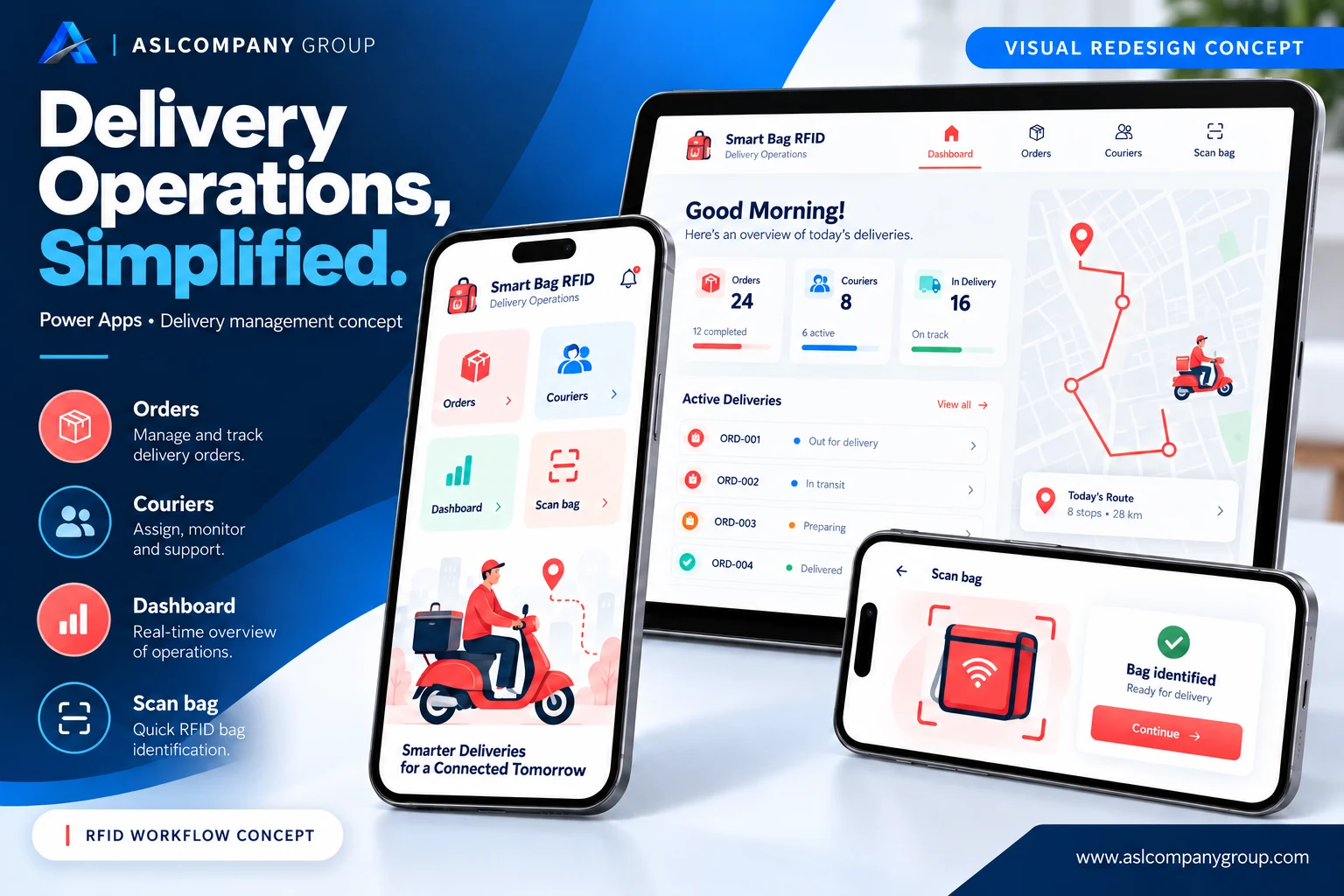
Smart Bag: delivery operations in Power Apps
The original app included entry points for new records, couriers, a dashboard, and scanning. This updated presentation proposes a cleaner interface; the detailed dashboard data and screens shown are illustrative.
Bring delivery-related actions into one mobile entry point instead of separating everyday tasks across tools.
Organize the experience around orders, couriers, an operational dashboard, and a bag-scanning flow. Confirm data storage, connector licensing, device capability, and any RFID hardware integration during scoping.
The proposed experience aims to make actions easier to find and operational status easier to understand. It does not establish a verified RFID integration or measured time savings.
A clear path to a useful first release
We start with the need, then define a practical first release, acceptance criteria, and what comes next.
- Discover
Understand your goals, users, tools, and constraints.
- Define
Agree on priorities, scope, deliverables, and responsibilities.
- Build & evolve
Validate the work with your team and plan the next improvements.
Common questions
Does Power Apps replace every custom application?
No. Licensing, scale, integrations, user access, and offline requirements influence the choice.
Can you automate an existing process?
Yes. We can start with one recurring task or approval flow and expand after testing.
What could this look like for your business?
Tell us about the challenge you want to solve. We’ll understand the context and shape a practical next step together.
You’ll go to the main enquiry form with this service already selected.